
Appearance
Constraints and freedom
What the solver does
Every point in your sketch has an X and a Y. Line them all up and you have a long list of numbers. That list is the only thing that can change.
Every constraint is a statement about those numbers that should come out to zero. "These two points are 40 mm apart" becomes "the distance between them, minus 40, is zero". "This line is horizontal" becomes "the difference between its endpoints' Y values is zero".
Solving is finding numbers that make every statement true at once.
Because it is solved rather than constructed, geometry moves to satisfy what you said rather than staying where you clicked. That is the whole bargain: give up placing things exactly, get a part you can re-dimension.
Degrees of freedom
A degree of freedom is one independent way the sketch can still move without breaking any constraint.
A single free point has two: it can go left and right, and up and down. Constrain it to a line and it has one left, sliding along that line. Fix it and it has none.
The number in the status foot is the total across the sketch.
Zero is the goal. Fully constrained means the drawing can only change when you change a number, and that is why changing a number is safe.
An under-constrained sketch still draws and still extrudes. The problem arrives later: you edit one dimension and something you never pinned down slides somewhere you did not intend, because you never said it should stay put.
Finding the freedom
Click the state row in the status foot. The geometry that can still move highlights in amber.
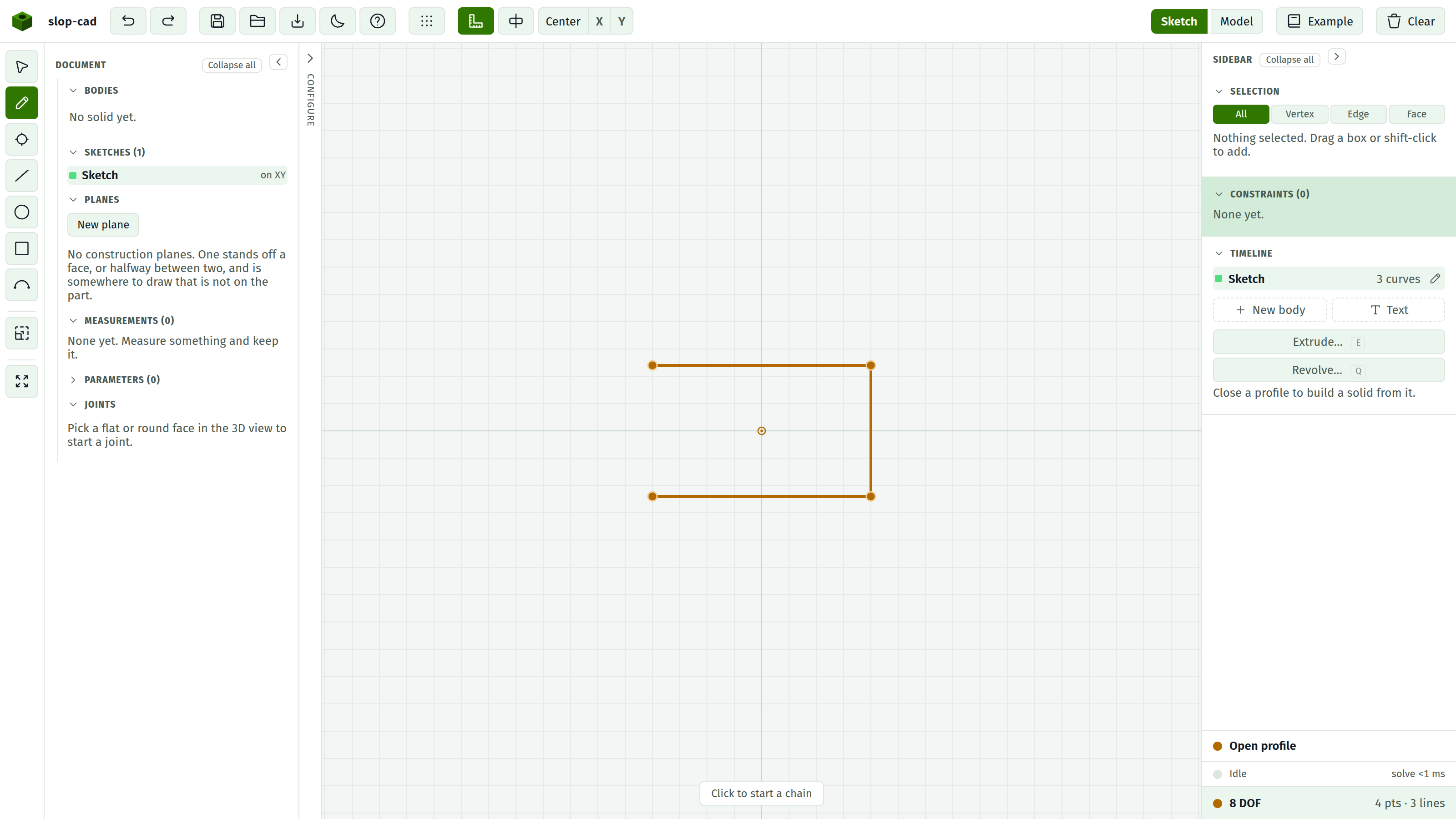
That answers "which parts", and the answer usually makes "which constraint is missing" obvious. Common ones: nothing is Fixed, so the whole drawing floats; a circle has a position but no Radius or Diameter; a chain of lines never got its overall length.
Most sketches want exactly one Fix. Without an anchor the drawing keeps two degrees of freedom no matter how thoroughly you dimension its internals, because the whole thing can still slide around the plane.
Redundant against conflicting
The solver also reports on each constraint individually, and the docket dots are coloured from that report.
Solved. Satisfied, and doing work. Remove it and the sketch gains freedom.
Redundant. Satisfied, but something else already forced it. Say you made two lines Parallel and then also gave them an Angle of 0. Both are true, but the second adds nothing.
Redundant is not an error. It costs nothing except a docket that overstates what is holding the drawing together. Delete them when you want the docket to be honest about which constraints matter.
The tell that you have created one: you add a constraint and the DOF count does not drop.
Conflicting. It cannot hold alongside the others. You said a line is 40 mm, then said the same line is 50 mm. Both cannot be true.
This is an error. The geometry on screen is the solver's closest compromise and matches neither statement. Delete this constraint or the one it fights with. See diagnosing a sketch.
Unsolved. The solver did not converge at all. Usually a conflict, sometimes geometry that has collapsed, such as a circle driven to zero radius.
Why over-constraining is not fatal
Adding a constraint the sketch did not need marks it redundant and moves on. Adding one that contradicts marks it conflicting and keeps going with the best fit it can find.
Nothing is rejected outright, and nothing is silently deleted. The docket colours tell you what happened, and you decide. That is deliberate: mid-edit, a sketch passes through inconsistent states constantly, and a tool that refused to draw them would be unusable.
Dimensions drive
Five constraints carry a number: Distance, Distance to line, Angle, Radius, Diameter. These are the driving dimensions. Change one and the solver re-runs and everything moves to suit.
Every dimension is seeded from the geometry as it stands, so applying one locks in what you already have rather than jumping the drawing. Then you type the number you meant.
There is no such thing as a reference dimension that measures without driving. Every dimension drives.
See also
- Constraints, for the full list and what to select
- The constraint docket, for reading the rows
- Diagnosing a sketch, for what to do about it