
Appearance
Profiles
A profile is a loop of curves that encloses an area. Profiles are what extrude; loose geometry does not.
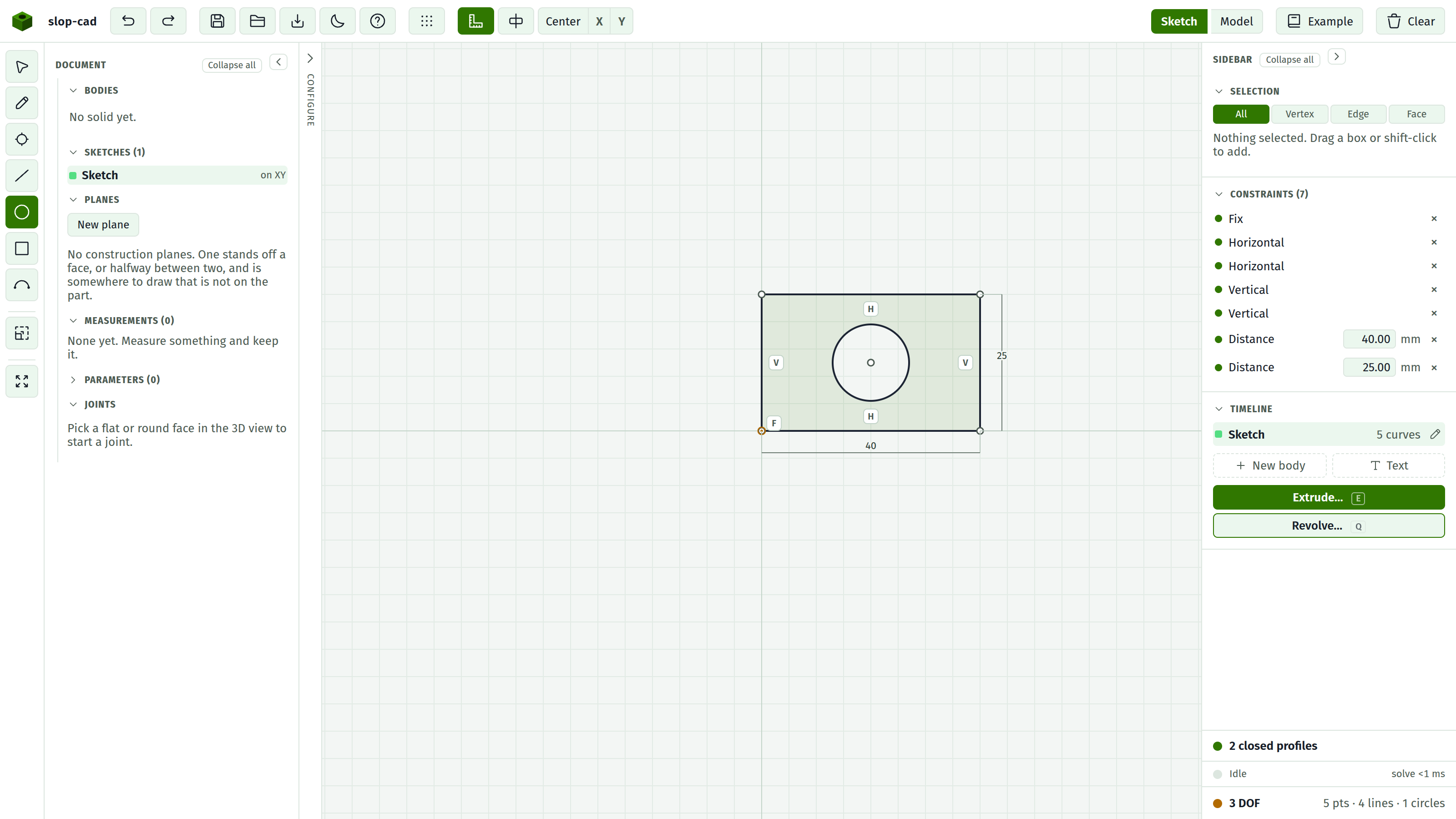
How a loop is found
The tool walks your geometry looking for rings. Two curves continue each other when they share an endpoint, either literally the same point, or two points held together by a Coincident constraint.
This is why the Pencil tool matters. It chains segments that share their endpoints. Four separate Lines drawn corner to corner will only close if each click snapped to the previous endpoint, or if you added Coincident constraints yourself.
The profile row in the status foot says which of three situations you are in:
N closed profiles. Good. Each one shades on the canvas and each will extrude.
Open profile. A chain that does not come back to its start. Usually a corner where two endpoints are a fraction of a millimetre apart rather than shared. Select both and apply Coincident.
Branching geometry. Three or more curves meet at one point, so which way the boundary goes is ambiguous. Usually a stray line left over from earlier. Delete it.
Holes
Nesting decides. A loop entirely inside another is a hole in it. A loop inside a hole is solid material again.
You do not mark anything as a hole and there is no option to change it. Draw a circle inside a rectangle, extrude once, and you get a plate with a hole through it. Draw a smaller circle inside that one and you get a post standing in the hole.
Two loops that are side by side rather than nested both become material, and one extrude produces both.
Winding
Which way round a loop was drawn does not matter. The direction is corrected as needed so that outer boundaries and holes wind opposite ways, so the resulting solid comes out consistent.
Drawing a hole clockwise or anticlockwise gives the same result.
Curves become polygons
Circles and arcs are approximated by many-sided polygons when the solid is built. A hole is a many-sided prism rather than a mathematically true cylinder.
For a printed or machined part this is finer than the process. It matters in two places: the volume figure is very slightly off a true cylinder, and the exported mesh is faceted by construction.
Where it does not show is on screen. A curved face is lit from the surface it came from, so it shades as a smooth cylinder however few sides it was built with. The facets are still in the geometry; only the shading has stopped announcing them.
It also matters for speed. A curved profile carries far more edges into the boolean step than a rectangle does, and that shows up directly in build times. See rebuilds and speed.
All of them, every time
An extrude takes every closed profile in the sketch, not a selected one. There is no way to extrude one profile of two to a different depth. Put them in separate sketches if they need different treatment.
See also
- Extrude
- The status foot, for reading the profile row
- Drawing with each tool, for closing a loop reliably