
Appearance
Status foot
Three rows pinned below the sidebar, always visible however far you have scrolled.
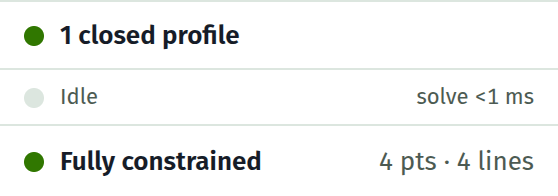
Profiles
Appears when the sketch has closed profiles, or has geometry that fails to close.
| Reads | Meaning | |
|---|---|---|
| N closed profiles | N regions enclose an area, so they can be extruded | |
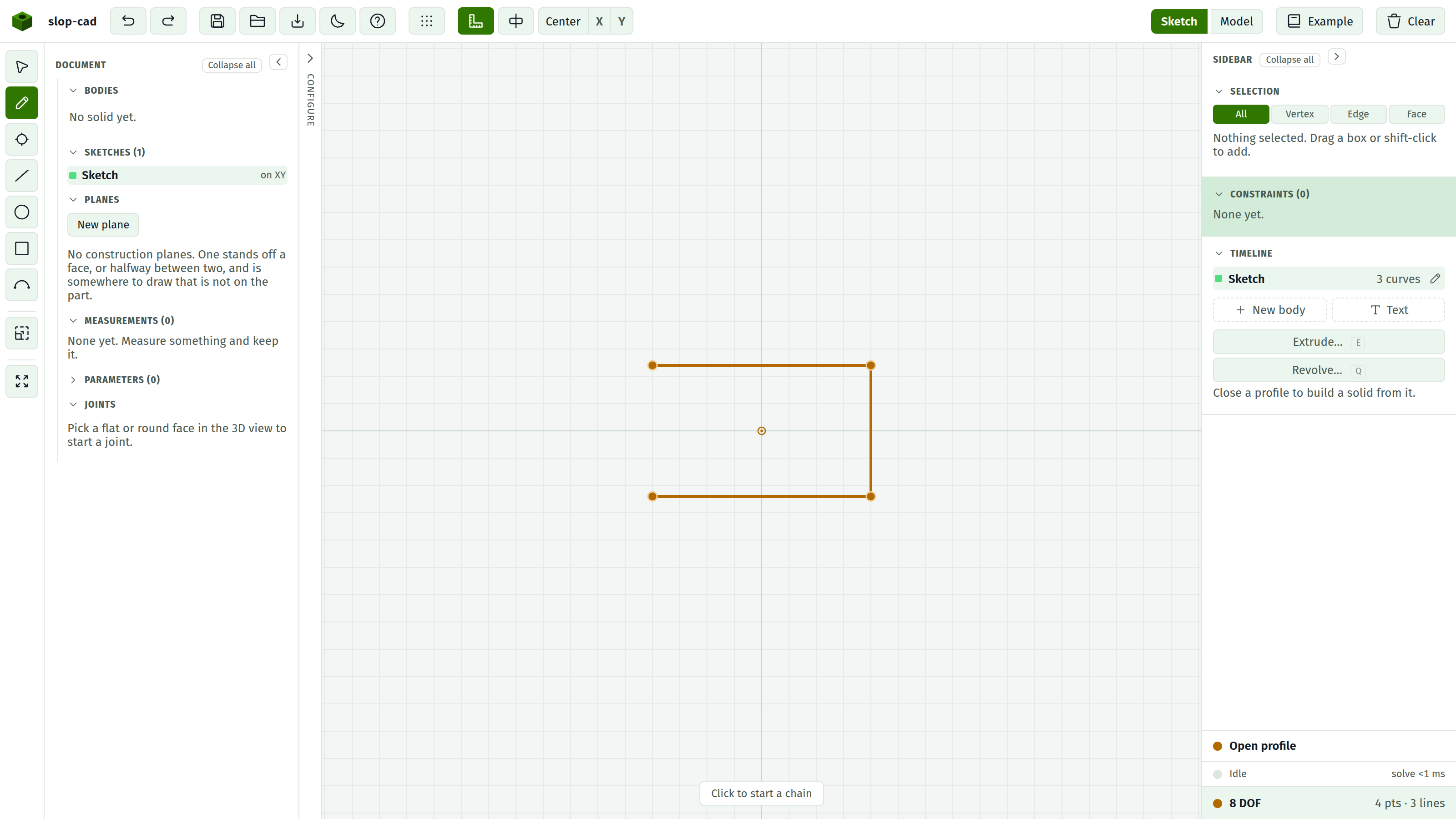
| Open profile | A chain of curves that does not close. Nothing to extrude | |
| Branching geometry | Three or more curves meet at a point, so the boundary is ambiguous |
Only closed profiles extrude. If the Extrude button is disabled, this row says why. See profiles.
Activity
While rebuilding: a spinner, the word Rebuilding, the stage it has reached, and an elapsed time ticking. Past four seconds the row turns amber, meaning this is taking longer than it should and the stage name tells you where.
The stages are boot, parts, and body. body is the expensive one: it is where each feature gets folded into the solid it builds, and where combines between bodies run.
When idle: solve N ms · build N ms. The solve figure is the constraint solver; the build figure is the modelling kernel. The solve turns amber past 60 ms, which is roughly where it starts costing you a frame while dragging.
The row is hidden until at least one timing exists.
The value of two separate numbers is diagnostic. A document that feels sluggish is either slow to solve, meaning the sketch has too much in it, or slow to build, meaning the solid has expensive features. On the example plate the solve is under a millisecond and the build is in the tens of milliseconds. See rebuilds and speed.
State
The bottom row, and it is a button.
| Reads | Meaning | |
|---|---|---|
| Fully constrained | No freedom left. The sketch can only change when you change a number | |
| N DOF | N degrees of freedom remain. Things can still be dragged | |
| Unsolved | The solver did not converge. Look for a conflicting constraint |
On the right, in grey, the counts of what is drawn, like 4 pts · 4 lines. Only kinds present are listed.
Clicking it
Three things at once:
- The geometry that still carries freedom is highlighted amber on the canvas.
- The constraint docket pulses.
- The docket scrolls into view.
This is the fastest route from "it says 3 DOF" to "those three points are why".
See diagnosing a sketch.
Fully constrained is worth chasing
An under-constrained sketch still extrudes, and it will still look right. The difference shows up later: when you change a dimension, an under-constrained sketch can move in ways you did not intend, because you never said what should stay put.