
Appearance
Diagnose a sketch
Three things go wrong, and the status foot says which of them you have.
It still has freedom
The state row reads N DOF in amber.
Click that row. Three things happen: the geometry that can still move highlights amber, the docket pulses, and the docket scrolls into view.
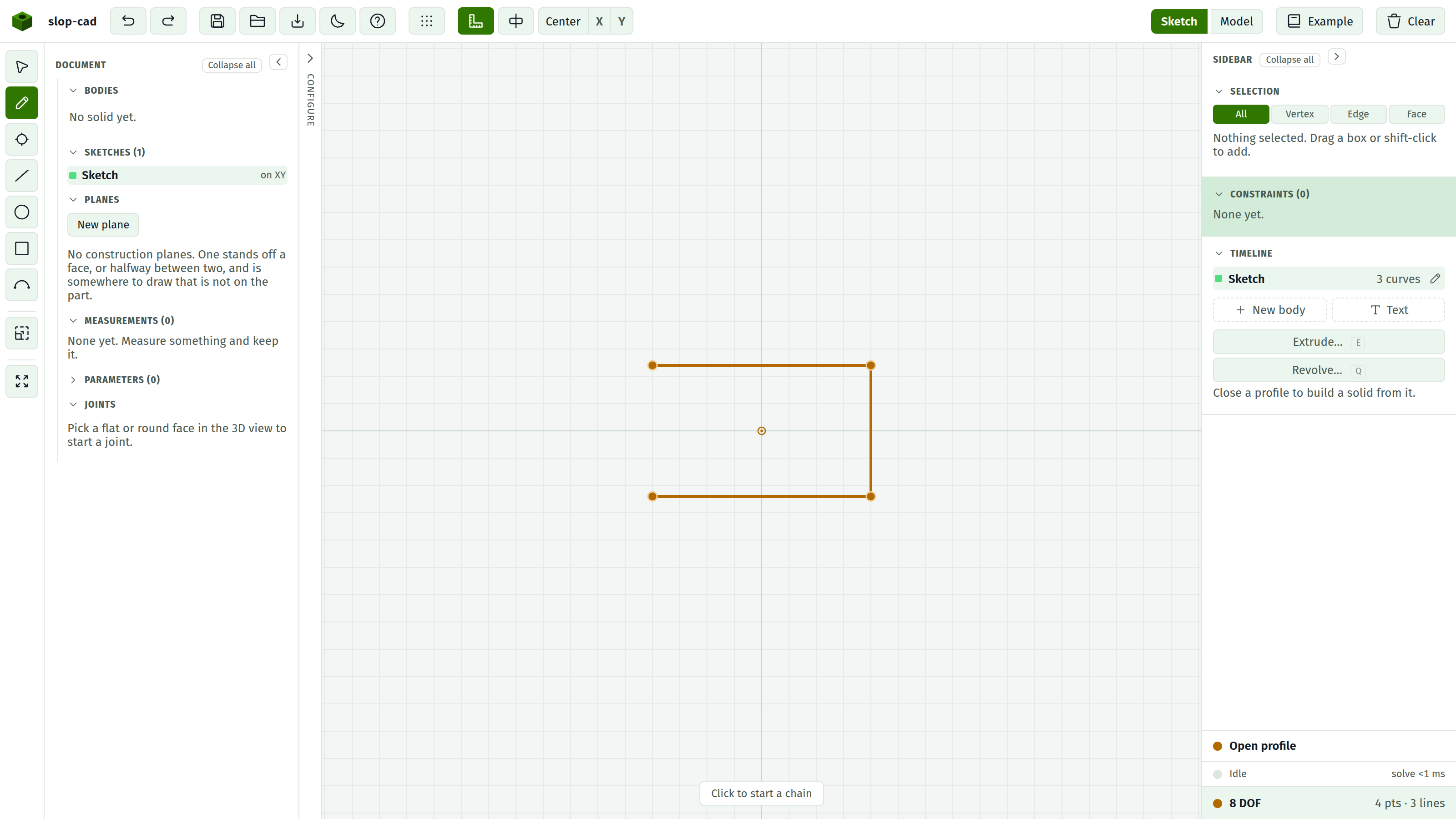
Now look at what lit up.
| What is highlighted | Usually means |
|---|---|
| Everything | Nothing is Fixed. Fix one point |
| One circle | It has no Radius or Diameter |
| A chain of lines | The overall length or angle was never dimensioned |
| One point | It is attached to nothing. Constrain it to a line, or dimension it |
Most sketches want exactly one Fix. Without an anchor the drawing keeps two degrees of freedom however thoroughly you dimension its internals, because the whole thing can still slide around the plane.
Add a constraint, watch the count drop, repeat until it reads Fully constrained in green.
Something conflicts
A docket row has a red dot, or the state row reads Unsolved.
Two statements cannot both be true. The classic case is dimensioning the same thing twice with different numbers, often once directly and once through a chain of other dimensions.
Look at the drawing first. The offending badge turns red on the geometry it cannot hold, which is usually enough on its own: the constraint fighting it is one of the other glyphs sitting right beside it.
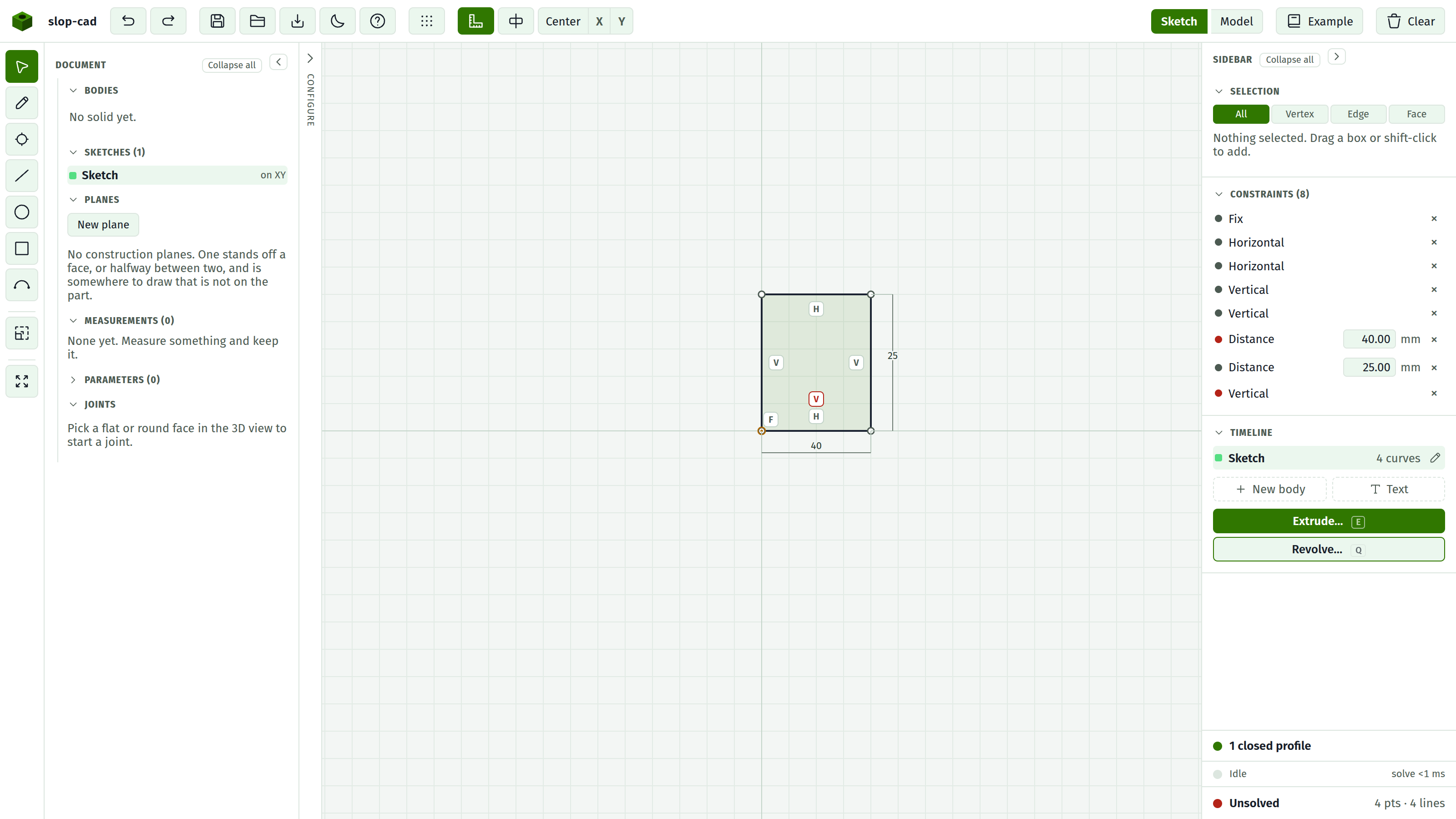
If that is not enough:
- Click the red row. Its geometry highlights.
- Select that geometry. Every docket row mentioning it tints.
- Among the tinted rows, one of them is fighting the red one.
Delete whichever you meant less. The geometry on screen while a conflict exists is the solver's closest compromise and matches neither statement, so do not read anything into its current shape.
An amber dot is fine
Redundant means satisfied, but something else already forced it. Making two lines Parallel and then also giving them an Angle of 0 does this.
It is not an error. It costs nothing except a docket that overstates what is holding the sketch together. Delete them if you want the docket honest.
A redundant constraint's badge turns amber on the drawing, so you can see which of a crowded corner's glyphs is the one doing nothing.
The tell that you just made one: you added a constraint and the DOF count did not drop.
The profile will not close
The profile row reads Open profile or Branching geometry, and the Extrude button is disabled.
Open profile. A chain of curves that does not return to its start. Almost always two endpoints that are very close but not shared.
To fix: zoom into each corner and look for two points where you expected one. Select both and apply Coincident. Or redraw the loop with the Pencil, which shares endpoints by construction.
Branching geometry. Three or more curves meet at one point, so the boundary is ambiguous. Usually a leftover line from an earlier attempt. Find it and delete it.
See profiles.
The solid is not what you expected
Check the volume in the timeline. It is the fastest sanity check there is: a 40 by 25 by 10 plate should read 10000 mm³, and a cut should have removed exactly what you calculated.
If a cut removed nothing, the profile probably did not close, or the cut did not reach the material.
If the timeline shows Body build in amber, the fold failed and you are looking at the separate pieces rather than the finished solid. The message names the refusal.
See rebuilds and speed.
A sketch stopped following its face
A timeline row turned amber with a Stale reference note. The face it was drawn on is gone, is no longer flat, or lost its solid.
The sketch keeps building on its last known plane. Pick the face you want in the 3D view, then press the link button on the amber row to re-attach it. See face references.