
Appearance
Turn a shaft
Draw half of it
A revolve turns a profile about a line, so what you draw is a cross section: half the part, standing to one side of the axis it will turn about.
Draw the outline of that half as a closed region, the way you would for an extrude. A 6 mm wide, 40 mm tall rectangle standing on the sketch's Y axis becomes a 12 mm diameter, 40 mm long shaft.
Turn it
Press Q (or the Timeline's Revolve… button). The dialog opens over the drawing.
- Pick the axis: Sketch Y for the vertical one, Sketch X for the horizontal one, or click any line in the sketch.
- Leave the angle at 360 for a whole turn.
- Press OK.
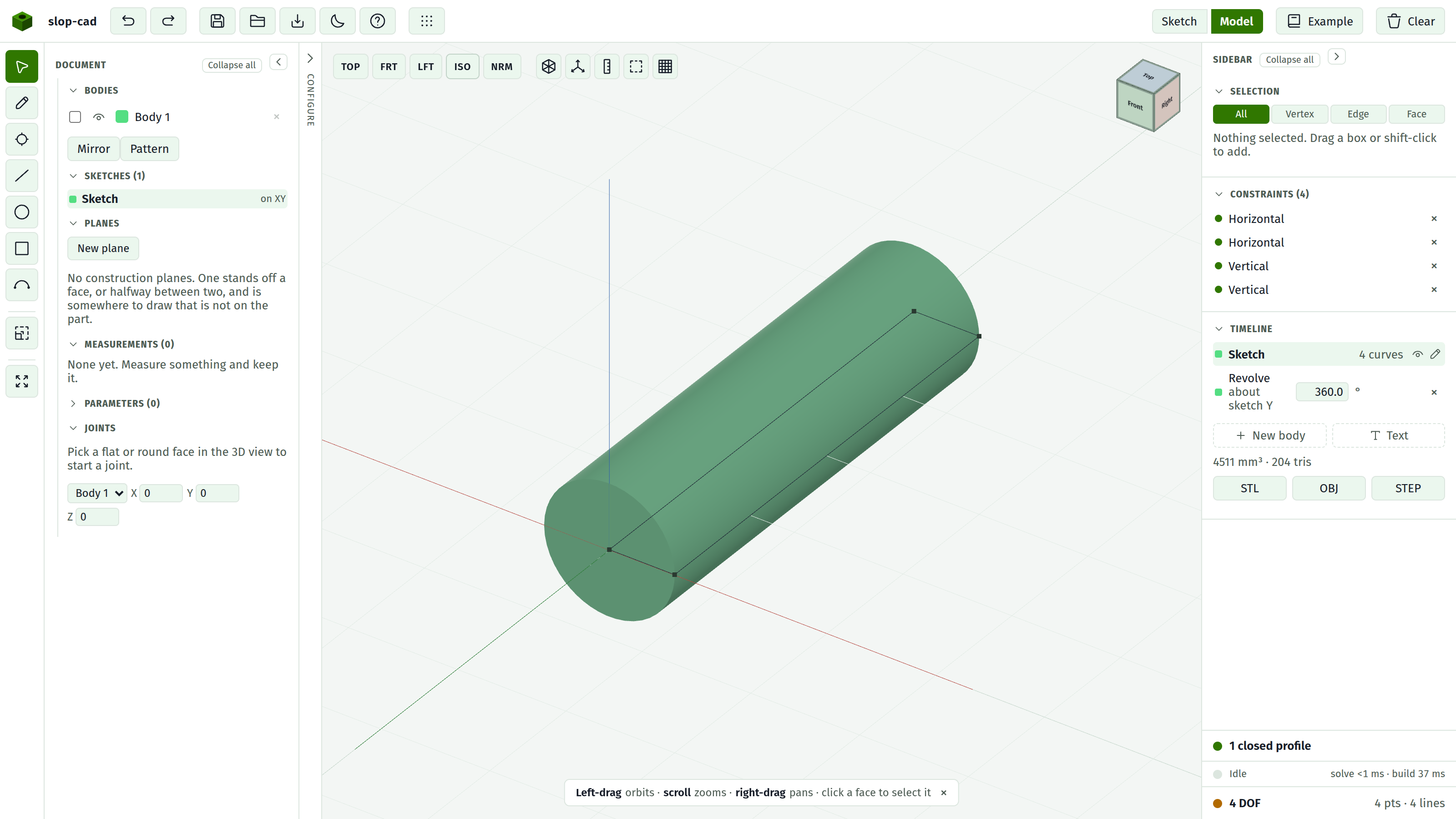
The view switches to Model and the Timeline gains a Revolve row showing the angle.
Turn part way
Type a smaller angle. A partial turn keeps two flat ends, one where it started and one where it stopped, and both are faces you can sketch on or blend.
Direction chooses which way out of the sketch plane it goes. On a sketch that sits on a face there is no choice: a cut turns into the material, everything else turns out of it.
Use a line you drew
Any straight line in the sketch is an axis. Click it while the dialog is open and the Axis row says what you picked.
What gets stored is the line, so the axis follows it. Make the part taller and a turn about its top edge turns about wherever that edge now is. That is the difference between picking a line and typing two numbers.
Cut a groove round something
- Switch to Model and pick a flat face on the part.
- Press Sketch on face and draw the groove's cross section, standing clear of the line it will turn about.
- Press Q, pick the axis, set an angle under 180, and choose Cut.
The turn goes into the material behind the face, and what comes out is a groove following an arc.
What it refuses, and why
A turn folding into a body that already exists is narrower than one standing on its own.
| It says | What to do |
|---|---|
| the profile crosses the axis | Move the axis off the shape, or draw the profile to one side of it |
| this profile touches the axis | Stand it a hair off, or turn it as New body and combine afterwards |
| must stop short of half way round | Use a smaller angle, or turn it as New body |
| a revolved profile with a hole in it | Turn the outline as one feature and the island as another |
A whole turn, a profile touching its axis, and a profile with a hole in it all work fine on a base sketch, which is where a turned part normally starts.
See also
- Revolve, for every field in the dialog
- Extrude, add and cut, for the other way to make a solid
- Sketch on a face, for where a groove's cross section is drawn
- Blend an edge, for rounding what the turn left