
Appearance
Trace the model into a sketch
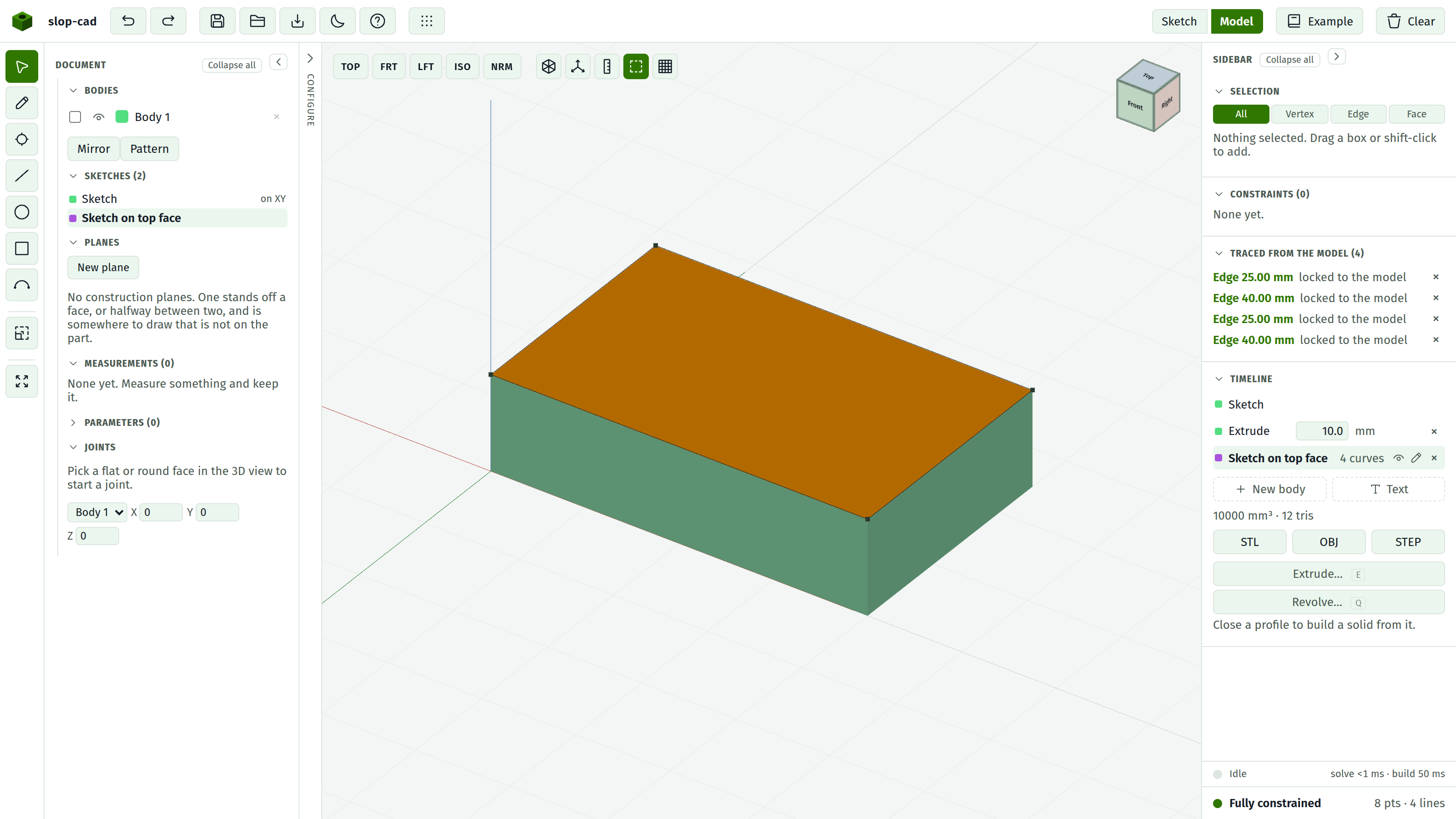
The Trace button in the model view arms the projector. Then a click on the solid brings that thing into the active sketch as reference geometry: locked, dashed, and re-read off the model every time it rebuilds.
The steps
- Make the sketch you want to draw in the active one, in the timeline.
- Switch to Model.
- Press Trace in the view controls.
- Click a corner, an edge, or a face.
- Switch back to Sketch and draw against what arrived.
Esc drops the tool. Leaving the model view drops it too.
What each click brings
| Clicked | Traced |
|---|---|
| A corner | One reference point |
| An edge | A reference line, with a point at each end |
| A flat face | Its whole outline, every straight edge of it at once |
| A hole or a round face | A reference circle at its centre, the size it really is |
Everything lands flat on the sketch plane, seen from straight down that plane's normal. How far above or below the plane the thing stood is not part of the answer: a corner ten millimetres up traces to where it sits in plan.
Drawing against it
Traced geometry is ordinary reference geometry once it is there. You can snap to it, constrain to it, and dimension from it, and it never joins a profile, so it cannot make a face by accident.
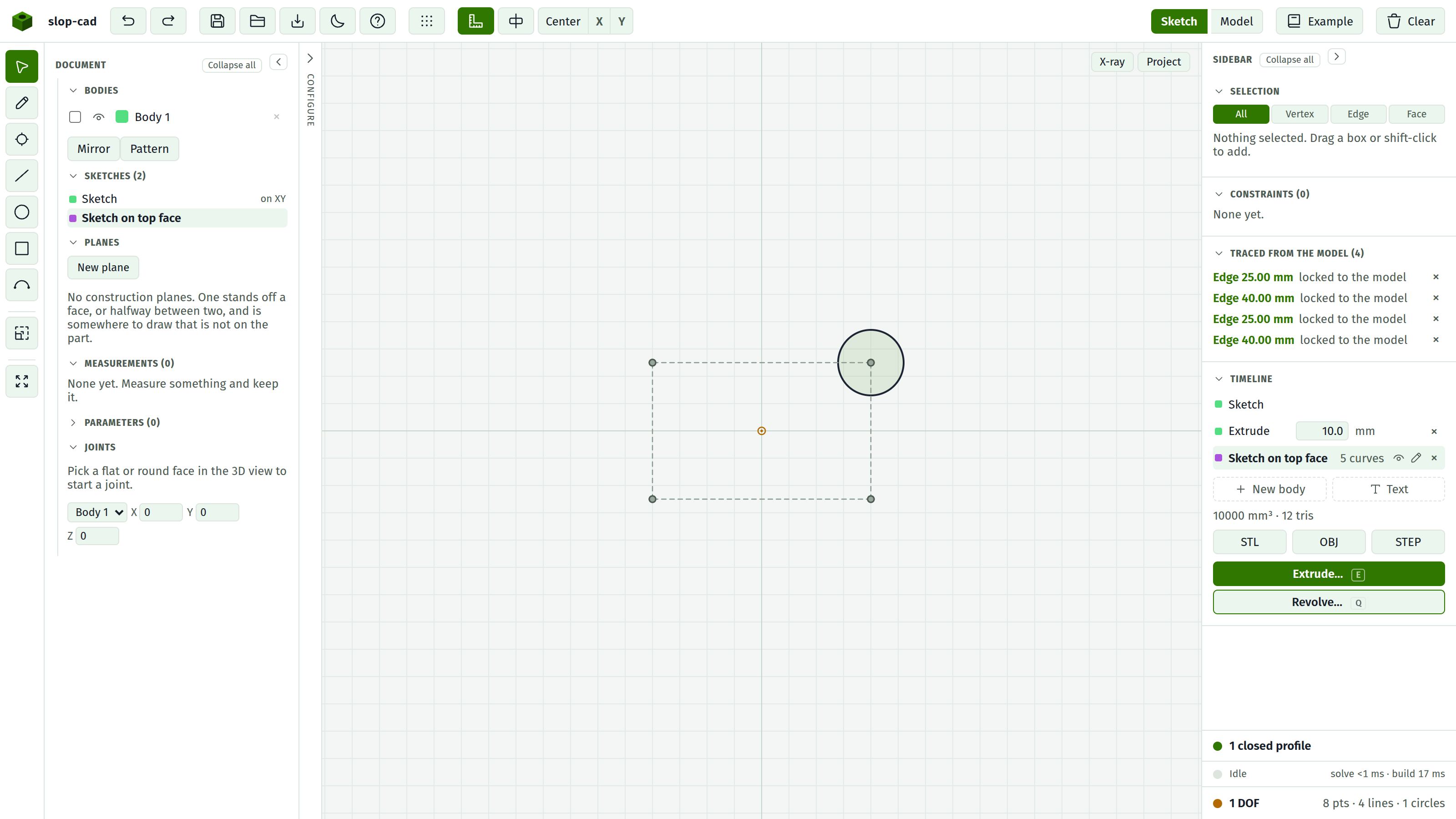
That is what it is for: a boss goes 8 mm in from the edge of the plate under it rather than 8 mm in from where you remember that edge being.
It follows the model
What is stored is the thing you clicked, not the numbers it came to. A traced edge is held as the two faces meeting at it, each named by the feature that swept it, and a traced corner as a position on the solid. So the reference is read again off every new solid: widen the plate and the traced edge moves out with it, taking whatever you constrained to it along.
Naming the faces is what holds that together. The same document does not build its faces in the same order twice, so a reference that remembered a face's place in the list would come back pointing at a different face and say nothing about it.
A traced corner re-finds the nearest corner within a couple of millimetres. That is enough to ride a size change and not enough to wander onto a different corner when the part changes shape.
The re-reading happens for the sketch you are working in. A sketch you are not in keeps the positions it had and catches up the moment you open it.
When it cannot come across
The panel says so rather than drawing something that is not true.
WARNING
A circle seen at an angle is an ellipse, and this sketcher has no ellipse. A hole only traces as a circle onto a plane its axis runs square to.
An edge that runs straight down the plane's normal projects to a single point, so it is refused too. And a face with no straight edges has no outline to bring.
A face nothing can name cannot be traced either, and says so. The face of a fillet or a chamfer is the case: no feature swept it, so there is nothing durable to hold it by.
Clicking the same thing twice is not a second copy of it. The reference already there is that thing.
When the trace goes
If what a reference was traced from stops existing, the row says so and the geometry stays where it is. Your constraints are drawn against it, and taking it away on a rebuild you may be about to undo would take them with it. Remove the row with its × when you mean it.
The list
Traced references are listed in the panel under Traced from the model, one row per thing, saying what it is and whether it is still locked to the model. The × on a row removes that reference and the geometry with it.
The list belongs to the sketch, and it is saved in the document.
A sketch that traces its own body
You can trace something off the very body the sketch you are in builds. Nothing stops you, and it is occasionally what you want, but it is a circle: the sketch drives the solid, and the solid drives the reference. If the two chase each other the panel says so and the references are left where they stand until you trace them again.
See also
- Sketch in the 3D view for projecting the parent SKETCH, which is the other way of getting reference geometry
- Sketch on a face
- Model view for the rest of the view controls