
Appearance
Sketch on a face
The steps
- Switch to Model.
- Make sure the select mode is All or Face, then click the face.
- The Selection section reports Face #N of the solid and offers Sketch on face. Press it.
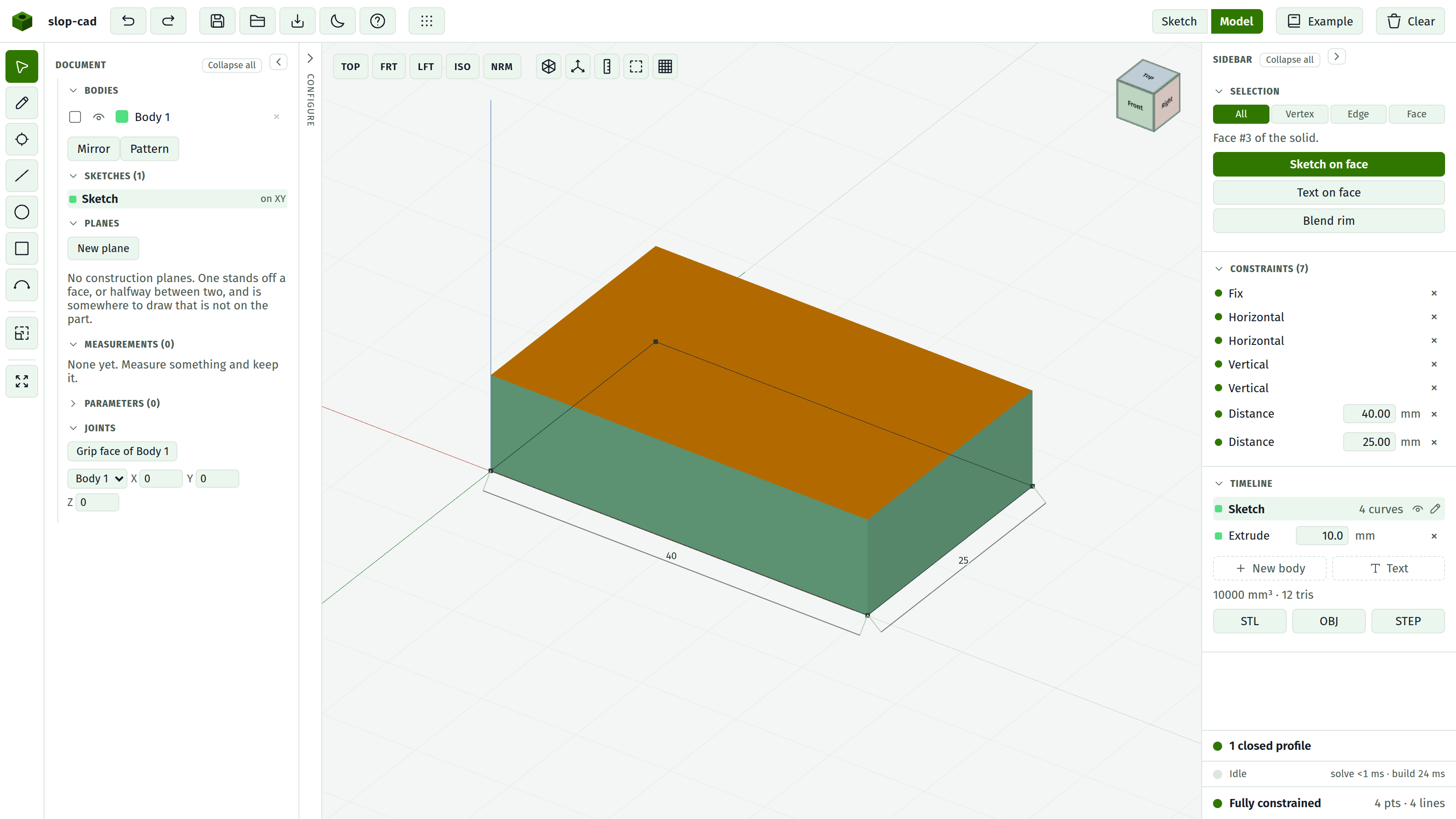
A new sketch appears in the Timeline, labelled by the face it sits on: Sketch on top face, or Sketch on face #4.
You stay in the 3D view with the Pencil armed, ready to draw straight onto the face. Press Sketch to work flat instead, which is easier for anything precise.
Where the origin is
The new sketch's origin is the centre of the face, not a corner and not the world origin. Drawing a circle at 0,0 puts it in the middle of the face.
It matters the moment you type coordinates into a point's X and Y fields.
Then add or cut
Draw a closed profile and extrude it. Choose Add for a boss standing on the face, or Cut for a pocket going into it.
Cut is only offered here, on a face sketch. That is the whole reason to sketch on a face rather than on the world plane.
See extrude, add and cut.
Curved faces refuse
That face is not planar; pick a flat face to sketch on. A cylindrical wall, such as the side of a boss, is one curved face and cannot host a sketch.
Keeping the reference alive
The sketch remembers which feature's face it was on and what role that face plays, so widening the plate underneath carries the boss along with it. It does not remember a face number, because those are not stable across rebuilds.
Three things break it: the face disappearing, the face stopping being flat (usually because a blend rounded it), or the parent feature losing its solid. The Timeline row turns amber and says which, and there is no way to re-point it.
So blend last. Rounding a face you later want to sketch on is the most common way to break a reference.
See face references.
Seeing what you are drawing over
Two aids:
- X-ray in the 3D view makes the solid translucent.
- X-ray in the sketch view underlays the parent sketch on the current plane as a faint dashed reference. It appears at the top right when the active sketch has a parent.
To constrain against that geometry rather than look at it, use Project. See sketching in 3D.
Deleting
The × on the Timeline row removes the sketch and its feature. This cascades: anything sketched on the faces of the feature you delete goes too, along with any blend naming those faces.
When there is no face to use
A sketch has to sit on something, and sometimes neither the world plane nor any face of the part is the right place: a lid standing 15 mm above the box, or the symmetry plane running through the middle of it. Build a construction plane and sketch on that instead. It is derived off a face rather than being one, so it rides a change in the part the same way this does.
See also
- The model view
- Construction planes, for sketching somewhere the part has no face
- Boss on a face