
Appearance
Blend a rim
The most predictable way to soften edges, and the one to try first.
The steps
- Switch to Model.
- Set the select mode to All or Face and click the face.
- Press Blend rim in the Selection section. The blend dialog opens over the viewport.
- Type a size into Rim.
- Press Chamfer rim or Fillet rim.
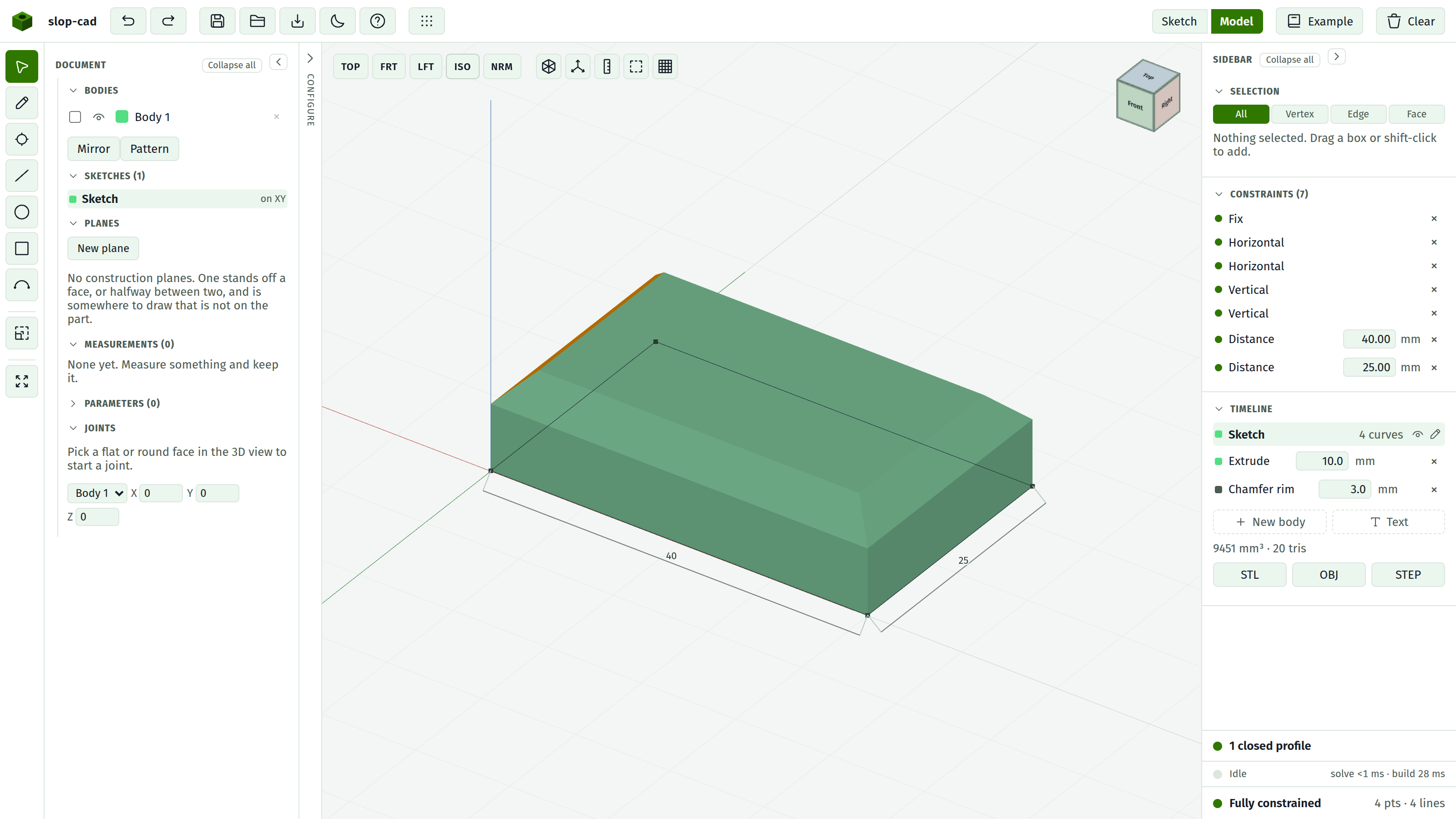
Every edge around that face's outer boundary is blended at once.
Why one pass matters
Blending the whole rim together lets the corners be mitred, so neighbouring blends meet cleanly.
Blending the same edges one at a time does not. Where two of them meet, the result can be imperfect, and with the fallback method it can leave a small spike of material.
So whenever a rim blend would do the job, use it rather than two edge blends.
Size
For a chamfer, the setback along each face, giving the usual 45 degrees. For a fillet, the radius.
It must be greater than zero, and it accepts arithmetic. A blank or zero value makes the button do nothing.
Holes keep their sharp rims
A rim blend takes the outer boundary only. A hole through the face is left alone.
To round the hole as well, pick one of the hole's own edges and use the Loop reach. See blend an edge.
That is two blends, and that is correct: they are separate rims and often want separate sizes.
Changing it
The Timeline row carries a live size field. Change it and the solid rebuilds. The × removes it.
Blends survive rebuilds, so widening the plate keeps the rim blended on the new shape.
When it refuses
That face is one the kernel could not name; blend a different one. The face has no stable identity. Faces produced by an earlier blend are the usual case, which is another reason to blend last.
A rim that turns a corner into a round wall, such as the cap of a sector, cannot be rounded. Chamfer it instead, which works on the same rim, or round those edges one at a time.
Blend last
Two reasons:
- A blended face often cannot be blended again, and cannot host a sketch.
- A blend that rounds a face breaks any sketch already drawn on it.
Add every feature first, then soften.