
Appearance
Blends
Softening an edge, either by cutting a flat face across it (chamfer) or by rounding it (fillet). Both are asked for the same way and both are called blends here.
Blends need the model view and a pick. There is no way to blend from the sketch.
Two ways to ask
Pick a face: blend its whole rim
Click a face, then Blend rim in the Selection section. The blend dialog opens over the viewport with a Rim size and two buttons, Chamfer rim and Fillet rim.
A face offers three different things (sketch on it, set text on it, blend its rim), so it waits to be told which. An edge offers only this one, so picking an edge opens the dialog by itself.
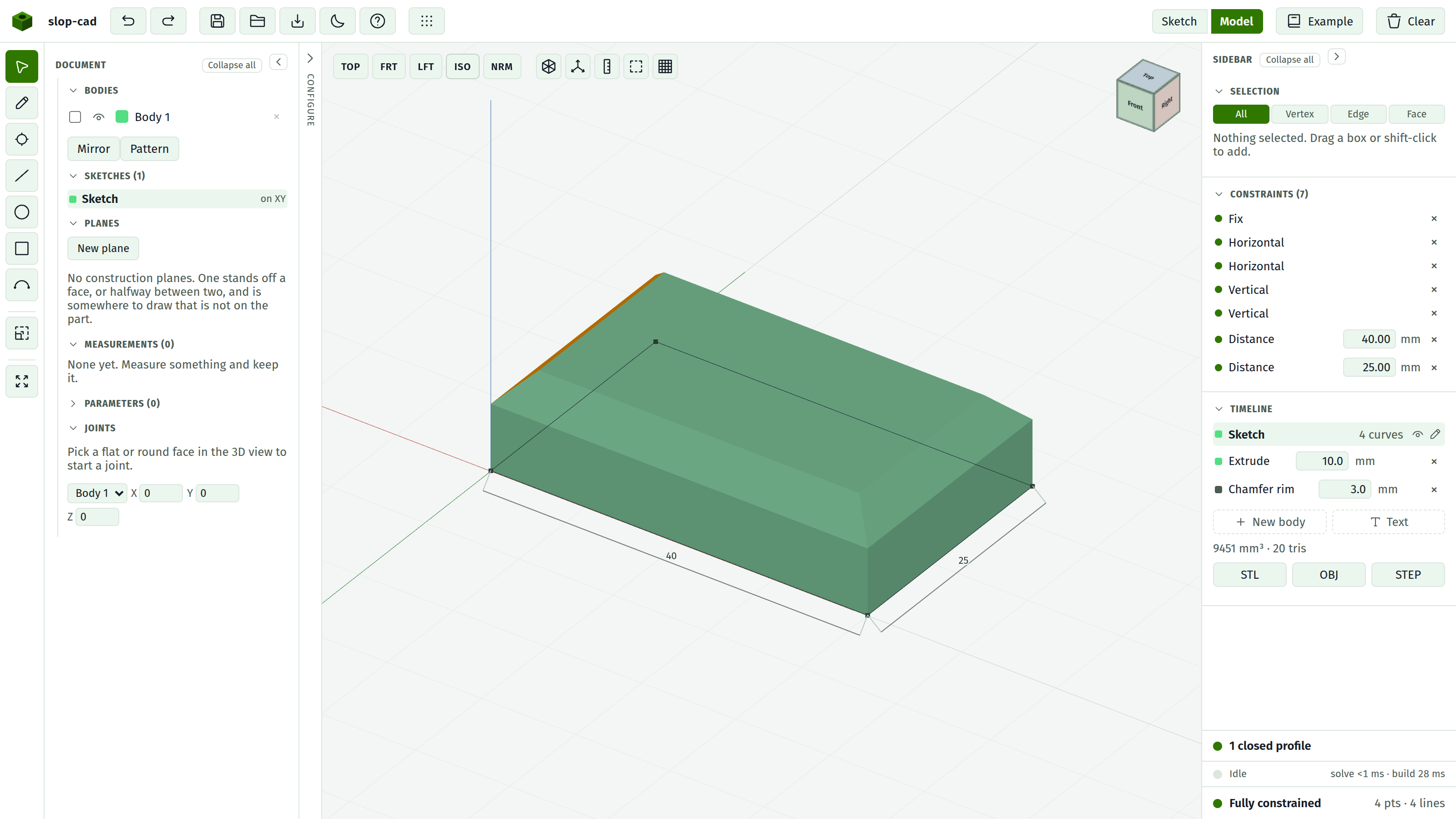
Every edge around that face's outer boundary is blended in one pass. That single pass is why the corners meet properly: they are mitred together instead of being blended one at a time and left to collide.
Prefer this whenever it fits. It is the better-behaved of the two routes.
A hole through that face keeps its sharp rim. The rim blend takes the outer boundary only. To round a hole as well, pick one of the hole's own edges and ask for the loop.
Pick an edge: blend that edge and its neighbours
Click an edge. The blend dialog opens on it with a Size, a Reach, and two buttons, Chamfer edge and Fillet edge. Both the dialog and the Selection section name the two faces meeting at the edge, so you can see what you have hold of.
Esc closes the dialog and drops the pick.
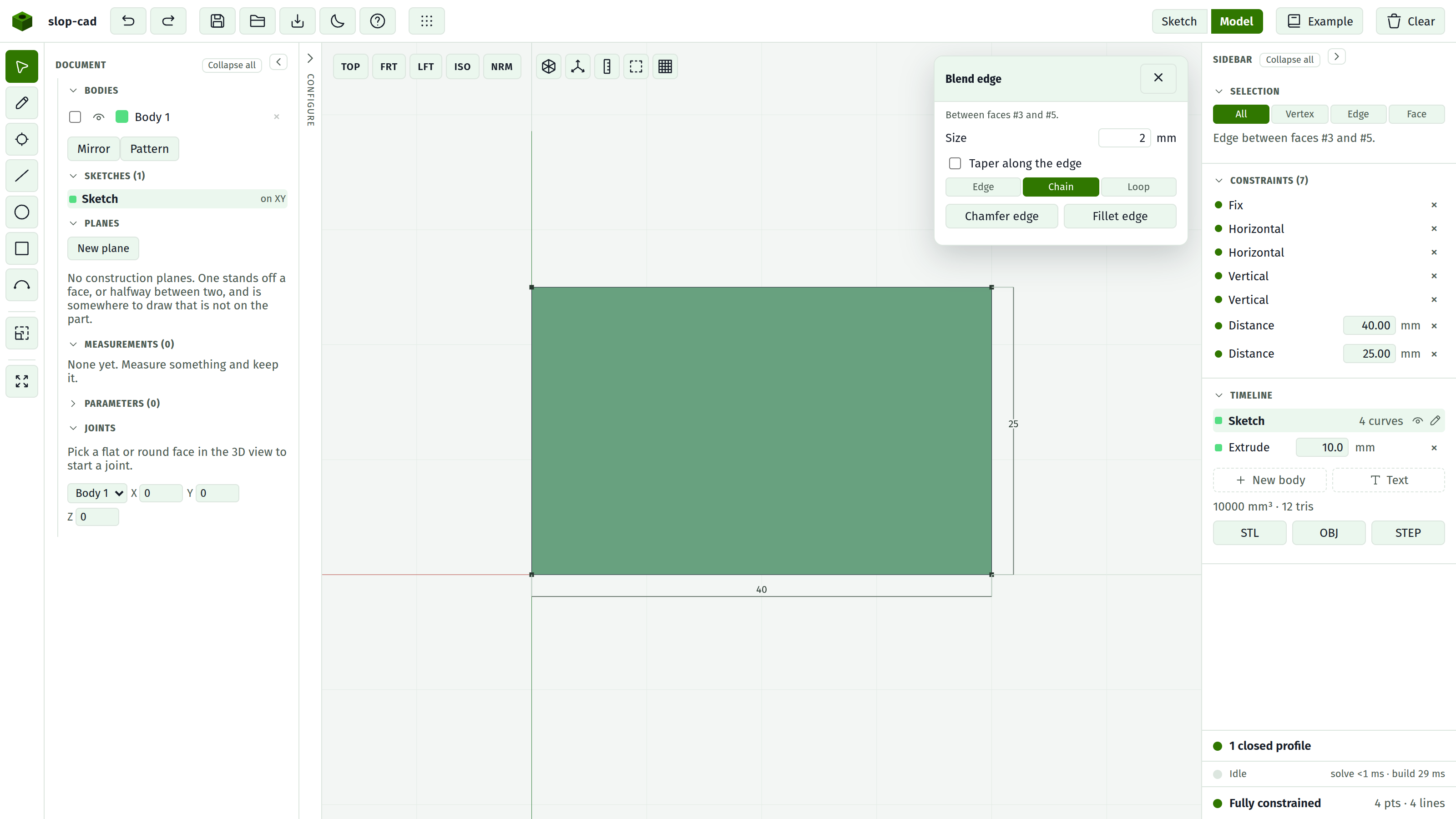
Size
One number, in millimetres.
For a chamfer it is the setback along each face, which gives the usual 45 degrees. For a fillet it is the radius.
It must parse and be greater than zero. A blank or zero value makes the button do nothing rather than complain.
Taper
Only on an edge pick. Ticking Taper along the edge lets the size change from one end of the edge to the other: a variable-radius fillet, or a chamfer that runs out.
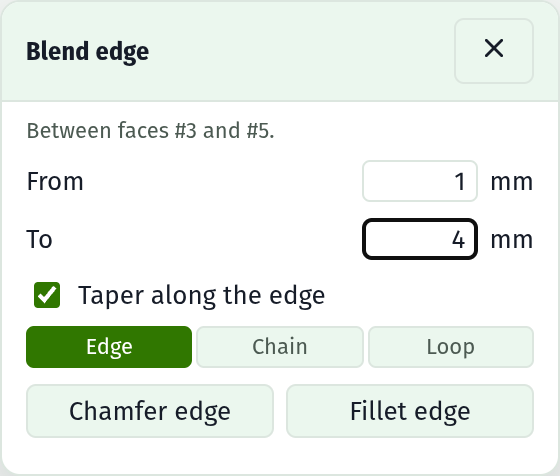
The single Size field becomes two, From and To, one for each end. Both must be greater than zero.
Ticking it pins the reach to Edge. A run of several edges has no single parameter to run the size along, so a taper is one edge's business and the control says so rather than letting the two settings contradict each other.
A blend with no taper is a constant size, which is how every blend behaved before tapers existed.
Reach
Only for an edge pick. Three options; Chain is the default.
| Reach | Takes |
|---|---|
| Edge | This edge and nothing else |
| Chain | On through every tangent junction, stopping at the first corner |
| Loop | The whole loop this edge belongs to, corners and all |
Chain is what you want along a curved boundary that runs smoothly through arcs. Loop is what you want around a hole. Edge is for when the neighbours should stay sharp.
In the timeline
Blends land as their own rows, labelled Chamfer or Fillet with a rim, chain, or loop suffix. Each has a live size field and a delete button.
They apply after every extrude, wherever the row sits, because an edge does not exist until both its faces do. This means a blend cannot be positioned earlier in the build.
A blend is dropped automatically when either of the faces it names goes away, which happens if you delete the feature that created them.
Blends survive a rebuild. Widen the plate under a chamfered edge and the chamfer is still on the corresponding edge of the new shape.
Refusals
Blending is the part of the tool with the most edges, and it is honest about them. The messages:
That face is one the kernel could not name; blend a different one. The face has no stable identity, which happens with faces produced by an earlier blend, and with faces lost in a geometric join. Pick a different face.
That edge sits on a face the kernel could not name; blend another one. The same problem, reached from an edge pick.
Beyond the messages, these cases are refused:
| Case | What to do instead |
|---|---|
| Rounding a rim that turns a corner into a round wall, for instance the cap of a sector | Chamfer the rim instead, or round those edges one at a time |
| A chain crossing between faces, going around a boss rather than along one face's boundary | Blend each face's boundary separately |
| A cylinder whose axis crosses the edge | No workaround; that geometry is not supported |
Two quality notes
Most blends are built by trimming the neighbouring faces back and stitching a new surface in, which lands exactly tangent. That covers essentially every prismatic case.
Where that route cannot be taken, a fallback runs instead. Its result starts about 4.5% of the radius early, leaving up to 0.09 mm of discrepancy and a crease of roughly 2.6 degrees where it should be smooth. It is a usable shape rather than an exact one.
Two fallback chamfers meeting at a corner also leave a spike of about 1.1 mm³. This is the concrete reason to prefer a rim blend over two edge blends whenever both would do: one pass mitres the corner, two passes do not.
See what it will not do.