
Appearance
Pattern
Copying a whole body along a line or round an axis. It is how a row of the same thing happens: bolt holes round a flange, standoffs along an edge, a rank of fins.
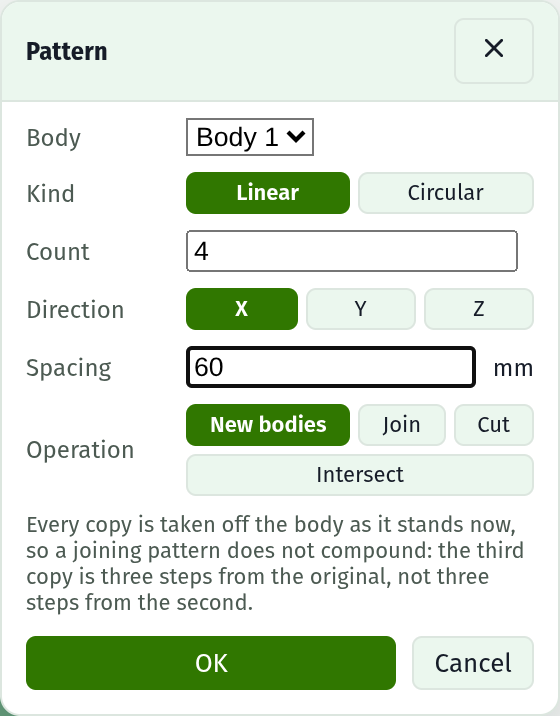
Press Pattern in the Bodies section and the command dialog opens over the model view.
Fields
| Field | Notes |
|---|---|
| Body | Which solid to copy. It is never consumed, whichever operation runs |
| Kind | Linear marches along a direction, Circular turns about an axis |
| Count | Instances in all, the original counted. Four holes means four |
| Direction / Spacing | Linear: which world axis, and how far centre to centre |
| Axis / Angle | Circular: which world axis through the origin, and the angle between one copy and the next |
| Operation | New bodies, Join, Cut, or Intersect |
The operations
| Operation | What you get |
|---|---|
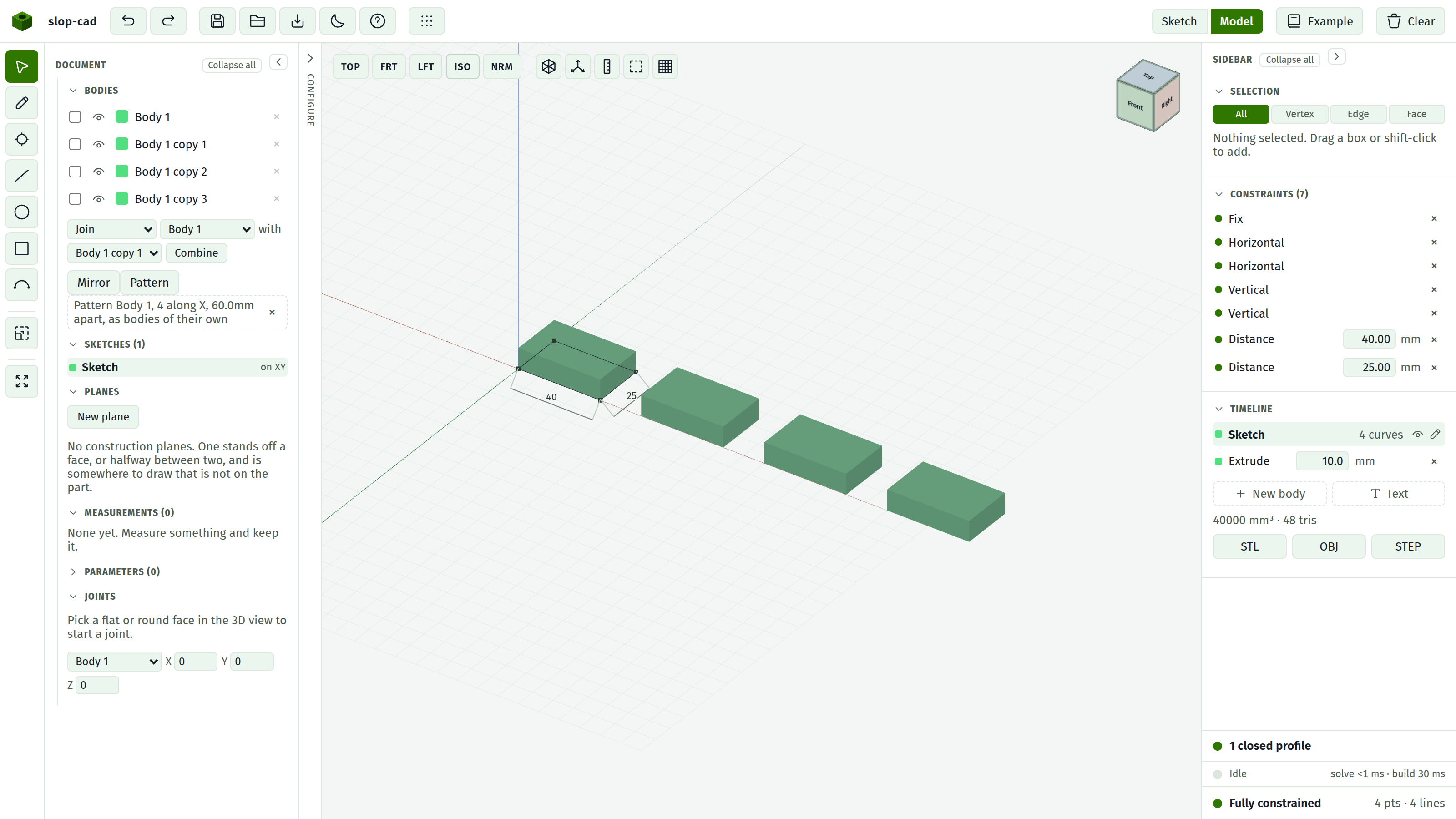
| New bodies | The original, plus one body per copy standing on its own |
| Join | One body: every copy fused into the source |
| Cut | The source with every copy carved out of it. This is how a pattern drills a row of holes |
| Intersect | Only what the source and each copy both occupy |
Copies do not compound
Every copy is taken off the body as it stands now, not off the copy before it. The third copy is three steps from the original, and a boolean that reshapes the source part way through cannot move the rest.
It is a feature, not a copy
What the document holds is the recipe: which body, which way, how many, how far apart. Change the sketch under the source and every copy changes with it.
Patterns run after any mirror and before any combine, so a copy standing on its own is a body a combine can name, and a pattern of a mirrored body works. A mirror of a patterned body does not: mirror first.
Naming and colour
A copy is painted the colour of the body it came from, since it is the same part somewhere else, and it is named after it: Body 1 copy 1, Body 1 copy 2, and so on. Rename any of them on its own row in the Bodies list.
Faces on a copy carry the same names the source's do, so a stored reference resolves to the source's face rather than to whichever copy came first.
Limits
A pattern will make at most 256 instances. Past that it is a typo or a runaway parameter, and either way it is thousands of boolean operations nobody is waiting for.
A circular pattern turns about a world axis through the origin. Turning about a picked edge is not here; move the body so the origin is where you want the centre.