
Appearance
Offset
Moving a closed shape's whole boundary in or out by a fixed distance. It is how a wall gets its print clearance, how a pocket gets room for the thing going into it, and how a box gets hollowed out.
There are two of these, and the difference matters:
| What it is | When it is taken | |
|---|---|---|
| The Offset command | A drawing tool in the sketch. Draws the offset beside the original as ordinary curves | Once, when you press OK |
| Profile offset | A field of the extrude command | Again on every rebuild |
Use the field for anything the part depends on. Use the command when you want the curves themselves, to dimension against or to build on.
The Offset command
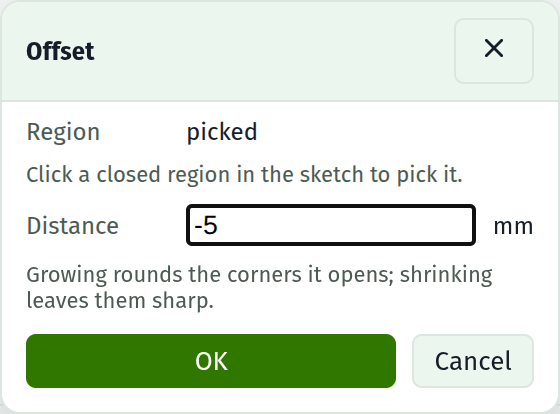
Press O, or the offset button at the bottom of the tool strip, and the command dialog opens over the drawing. The sketch stays live under it: click a closed region to pick it.
| Field | Notes |
|---|---|
| Region | Which closed region to offset. Click one in the sketch; clicking another replaces it |
| Distance | Millimetres. Accepts arithmetic and parameter names. Positive grows the region, negative shrinks it |
| OK | Draws it. Refused until a region is picked |
What comes out is ordinary sketch geometry, free to dimension, constrain, delete or build on. It is a copy: nothing links it back, so moving the original afterwards leaves the offset where it was drawn.
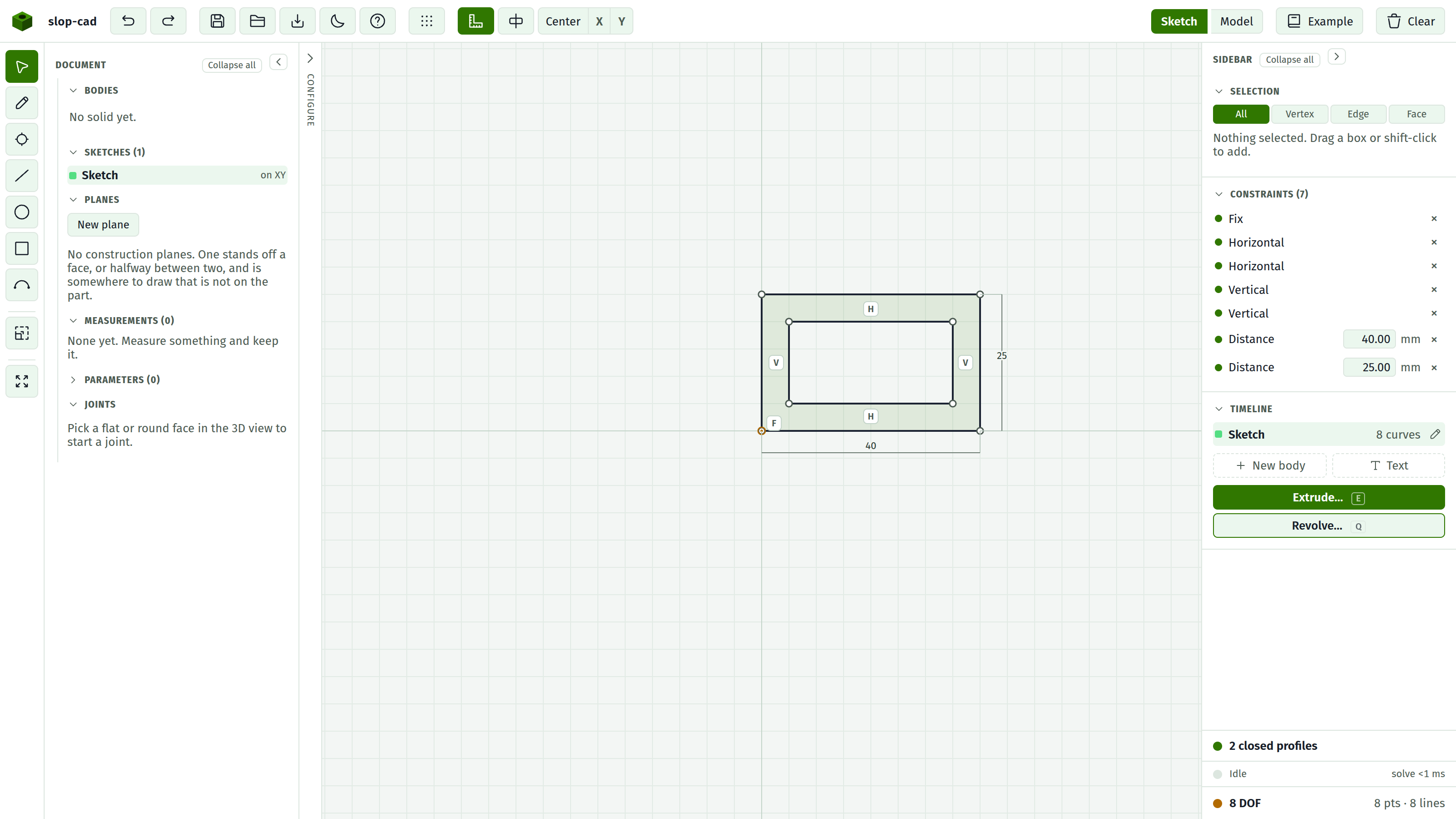
Offsetting inward leaves two nested loops, and two nested loops of one sketch are a region with a hole in it, so extruding after an inward offset sweeps a frame rather than a plate. See profiles.
Profile offset
The same operation as a field of the extrude command, taken again every time the part rebuilds. Set it and the shape being swept grows all round before it sweeps; nothing in the sketch moves.
This is the tolerance field. A pocket dimensioned to the part going into it, with a profile offset of 0.2, is a pocket that says what it is for and still leaves room. Change the clearance later and only that one number changes.
It is also the only way to move a face parallel to itself. A wall is swept by a curve of the sketch, so pushing the curve outward pushes the wall outward, and the whole boundary moves together.
Shelling a box
Hollowing a prismatic body out is an inward profile offset on a cut:
- Extrude the outline into a solid.
- Click the face you want open and Sketch on face.
- Draw the face's own outline, corner to corner.
- Extrude it as a Cut, with the depth set to the height less the floor thickness, and the Profile offset set to minus the wall thickness.
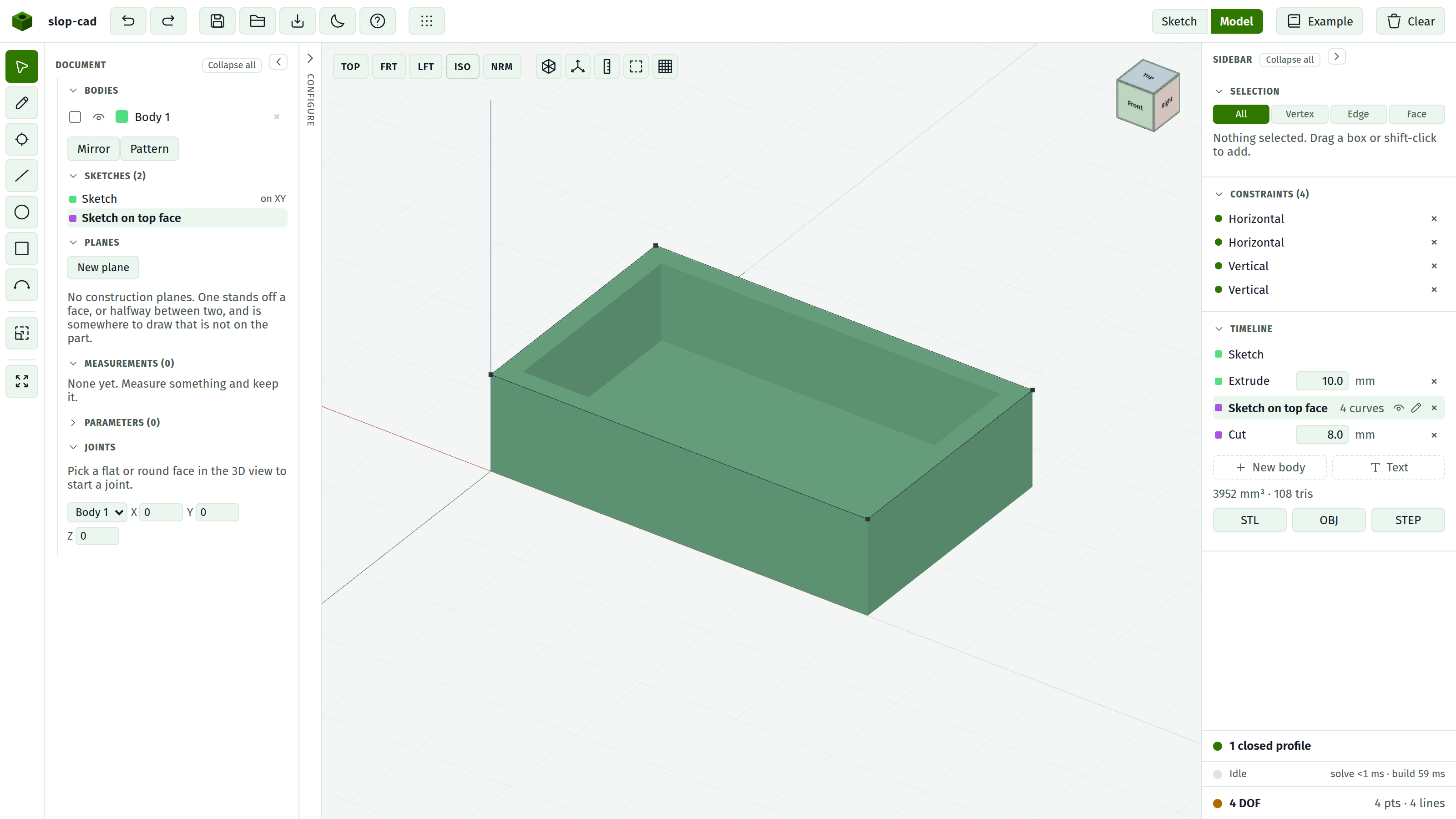
The wall is one number and the floor is another, so either can be changed on its own by re-opening the feature. Drive both from a parameter and the whole shell follows one row of the table.
What the corners do
Growing a shape rounds the corners it opens out, with an arc of the offset radius. That is not a decoration: the set of points a fixed distance off a corner is an arc, so the round corner is the offset and a mitred one would not be. Shrinking a shape closes its corners over instead, and those stay sharp.
Arcs stay arcs throughout. Nothing is turned into a polyline, so an offset feature's volume is as exact as any other's.
When it is refused
An offset far enough to change what the shape IS gets a sentence instead of a guess:
| Message | What happened |
|---|---|
| leaves nothing of this profile | A circle, or a rounded corner, shrunk past its own radius |
| folds this profile back through itself | The offset ran past the middle of the shape, or closed a narrow waist |
| doubles back on itself | The profile reverses direction somewhere, so it has no offset |
An inward offset deeper than a corner's radius is refused rather than squaring that corner off, because squaring it off is a change of shape rather than an offset. Nothing is drawn and nothing is built when an offset is refused.
See also
- Extrude, for the field and the rest of the command
- Profiles, for what makes a region a region
- Parameters, for driving a clearance from a table